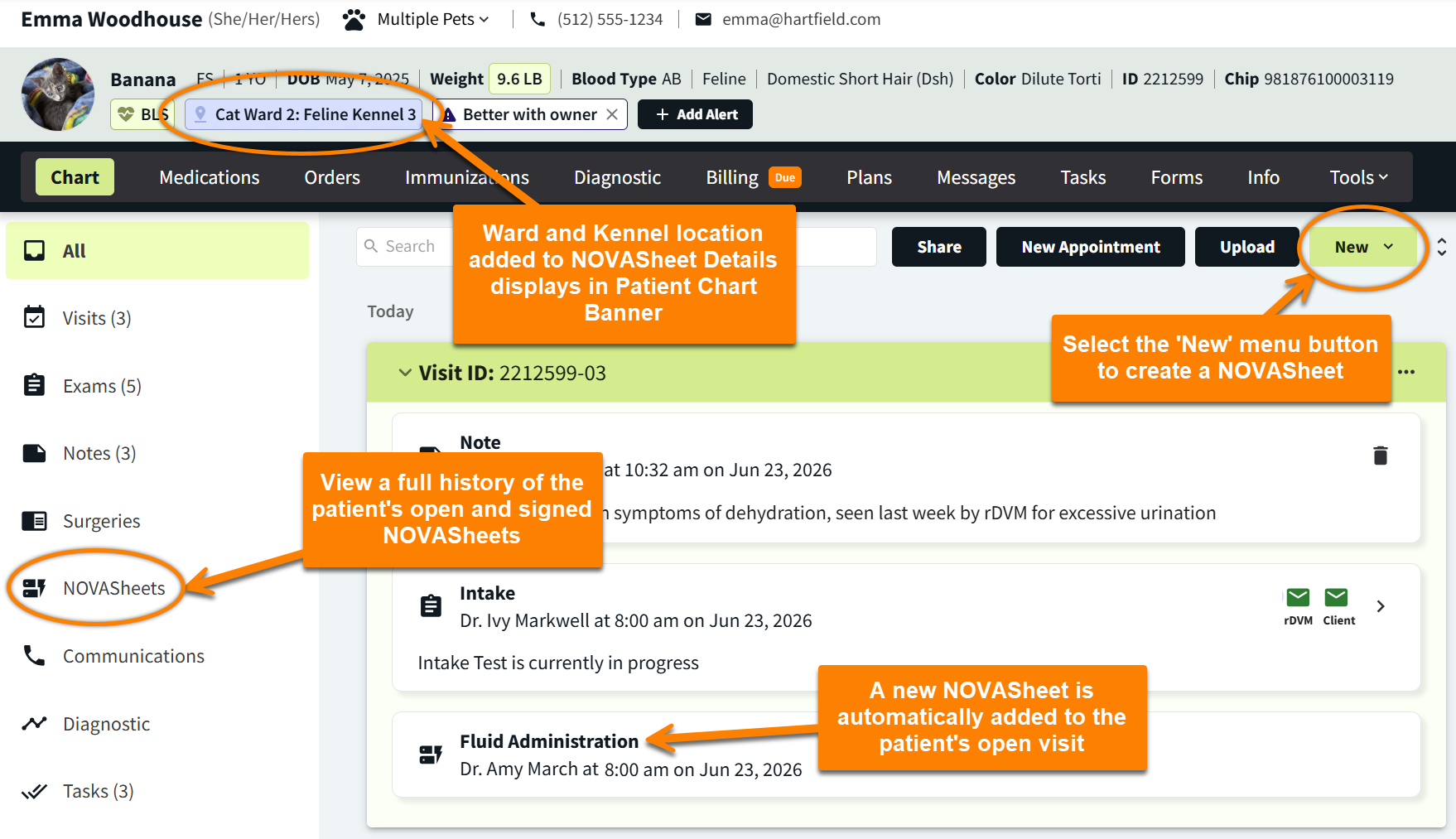
A patient can only have one open, unsigned NOVASheet at a time.
The system will alert you of the existing open NOVASheet if you try to create a new NOVASheet.
Each of a patient’s NOVASheets is stored in Patient Chart > Chart > NOVASheets.
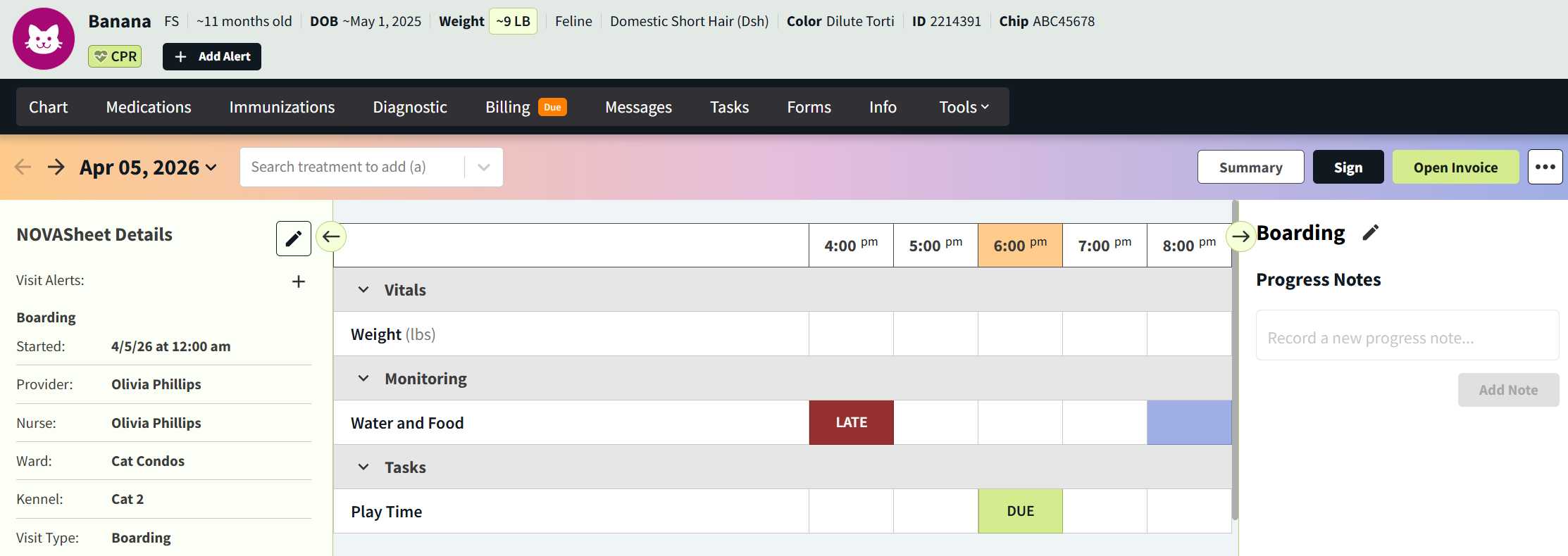
The NOVASheet displays due and upcoming treatments by the hour.
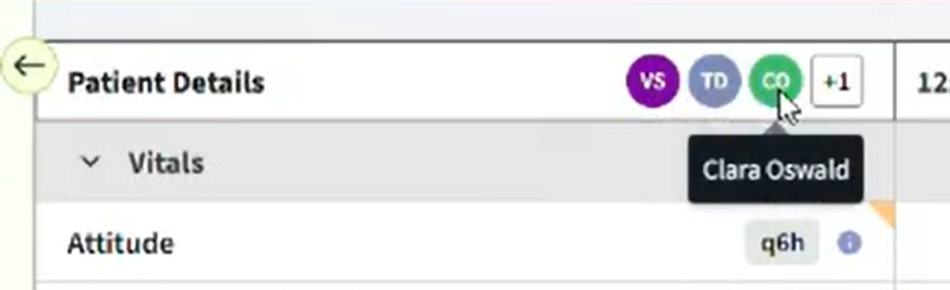
When multiple users are accessing the same NOVASheet at once, the initials of each user display at the top of the sheet. This behavior is similar to the display of user initials in encounter sections, but the system does not lock the NOVASheet from edits or lock treatments from being completed when multiple users are present.
View NOVASheet for Future Dates
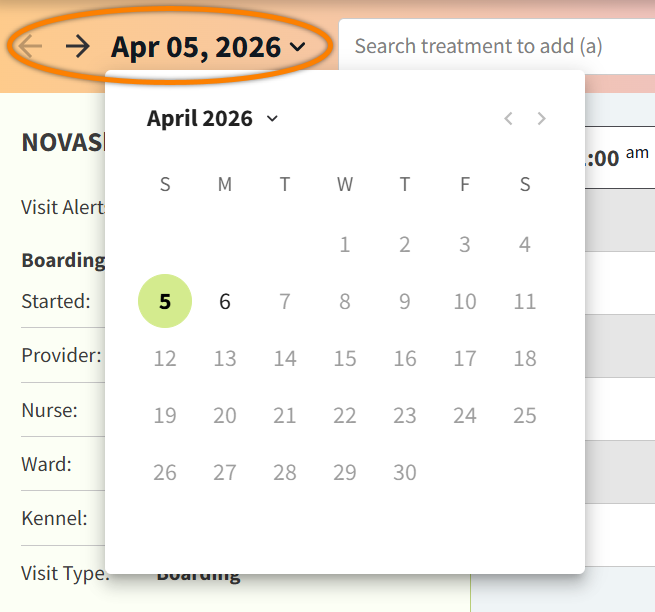
No need to create a new NOVASheet each day! Once created, a NOVASheet continues for the entire patient visit. You can navigate to previous and future dates using the arrows or calendar at the top of the NOVASheet.
Display NOVASheet Treatment Hour in Increments
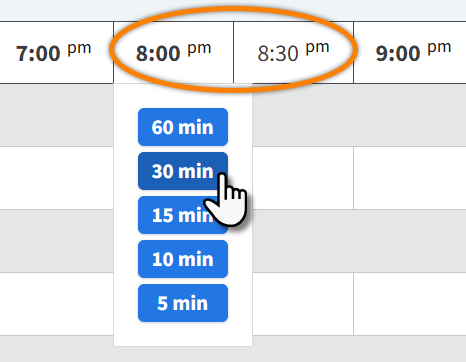
NOVASheet treatments display in hourly increments by default. You can add columns to a NOVASheet to view increments of 5, 10, 15, and 30 minutes for a selected hour. This allows you to record the precise time a treatment task is completed.
Select the hour in the column header, then select an increment. To change the column back to hourly increments, select 60 min.