
To help ensure compliance with DEA and state-controlled substance laws, additional product details are available for controlled drugs.
Mark Product as a Controlled Drug
-
Go to More > Inventory & Services > Manage > Products.
-
Search for the product, then click anywhere in the table row to open the product details panel.
-
Select Edit Details to open the Edit Product Details window.
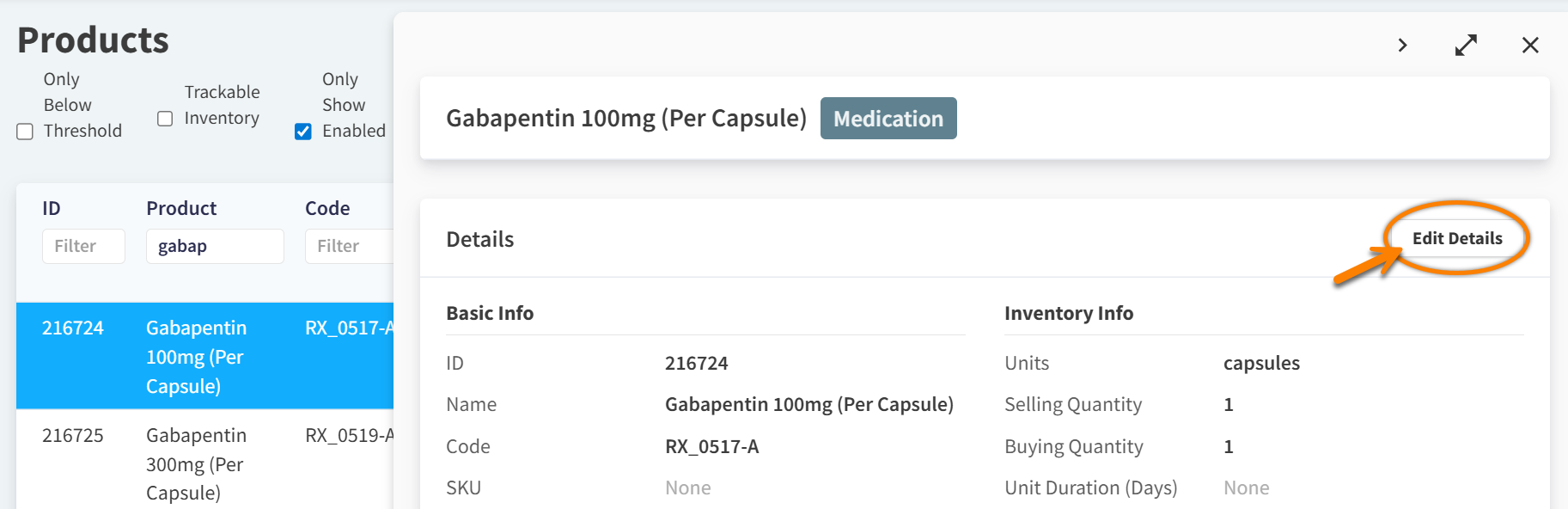
-
In the Settings column, set the Is Controlled Drug? setting to Yes. The Select Schedule field displays.
-
Select the appropriate drug schedule from the Select Schedule drop-down menu.
-
Select Save.
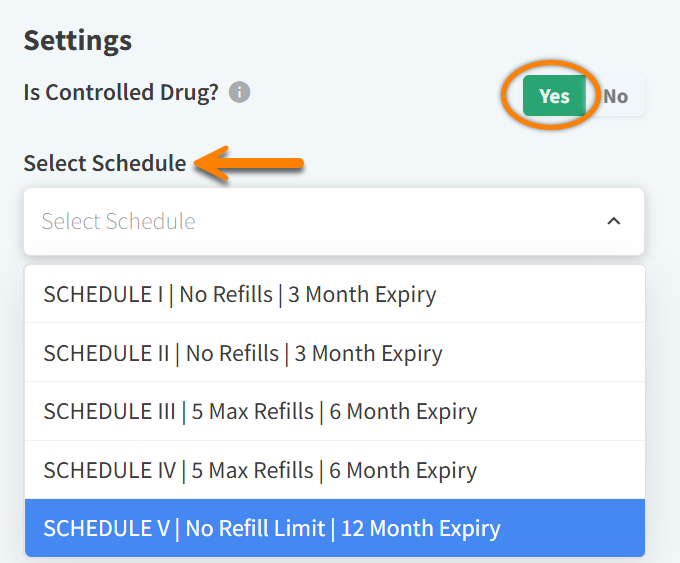
Any invoiced products that are set to Is Controlled Drug? = Yes will be included in the Controlled Drugs Report.
Refills and Expiry for Controlled Drugs
The system adheres to restrictions for refills and expiration dates based on the schedule selected in the product details.
For example, you cannot refill a controlled drug prescription in Vetspire that is set as Schedule I.
|
|
Refills |
Expiry |
|---|---|---|
|
Schedule I |
None |
3 months after prescription date |
|
Schedule II |
None |
3 months after prescription date |
|
Schedule III |
Up to 5 |
6 months after prescription date |
|
Schedule IV |
Up to 5 |
6 months after prescription date |
|
Schedule V |
No refill limit |
12 months after prescription date |