This feature is available upon request for organizations using Vetspire AI.
Please contact Vetspire Support or your account representative to add AI Clincial Assistant to your Vetspire AI suite.
The AI Clinical Assistant feature is used during encounters to provide suggestions for testing, differentials, and diagnoses based on your SOAP notes.
AI Clinical Assistant uses the encounter data and key patient details (such as species, breed, age, and gender) to identify relevant information and cites sources from trusted veterinary journals.
Vetspire Recommends
AI Clinical Assistant looks at all information in the encounter, including notes synced from AI Scribe recordings and manually entered information.
If you are using AI Scribe, we recommend using Clinical Assistant Findings after syncing so that the full encounter can be taken into account.
How AI Clinical Assistant Works
Once information is saved to the encounter, select the magic wand button at the bottom of the screen. (It’s right next to the AI Scribe microphone!)
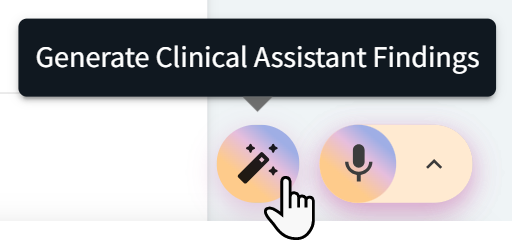
Once Vetspire AI completes a synthesis of the encounter, the magic wand button updates to display “Findings Ready!” and a View option. Select View to open the Clinical Assistant Findings window.

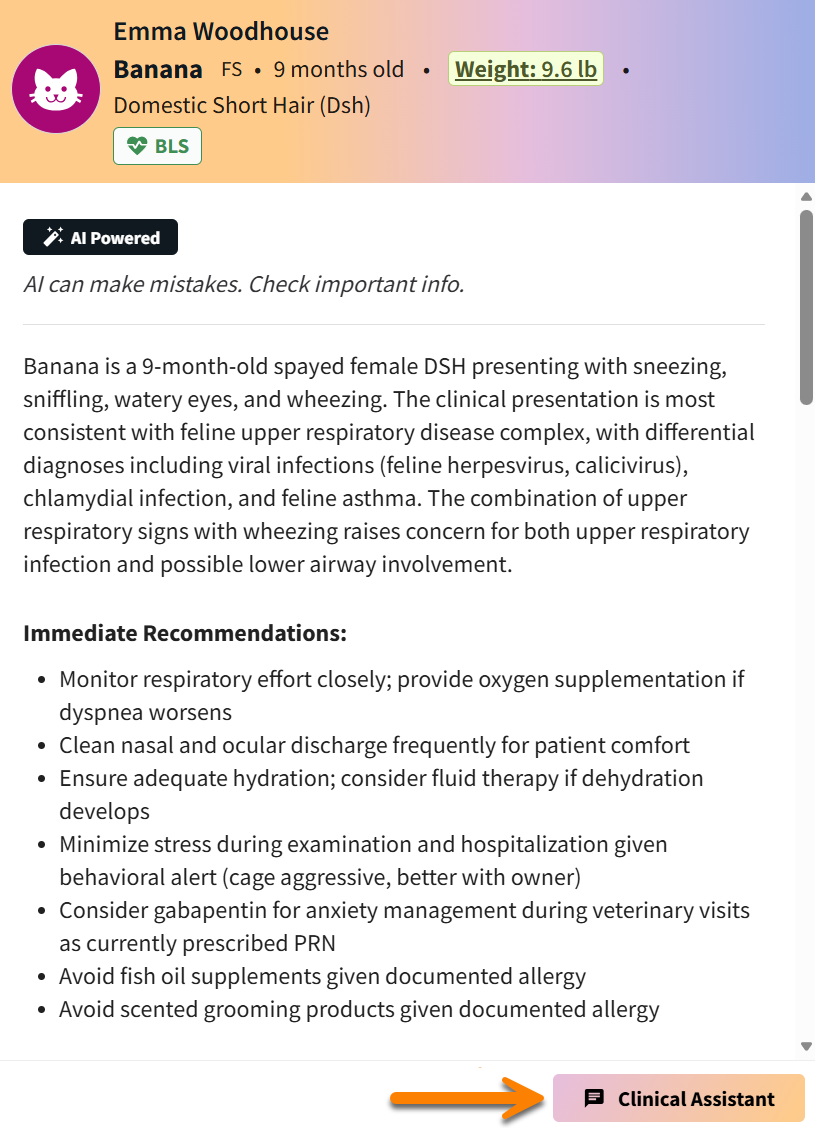
The Clinical Assistant Findings window displays a brief summary of the Objective and Subjective findings as well as Immediate Recommendations for next care steps. Immediate Recommendations includes recommended tests and high-priority actions.
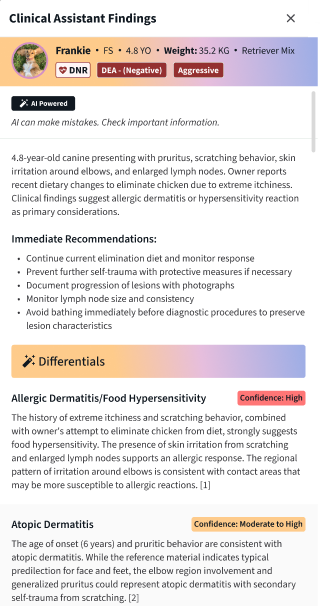
The Clinical Assistant Findings window then displays two sections: Differentials and Recommended Tests.
Differentials
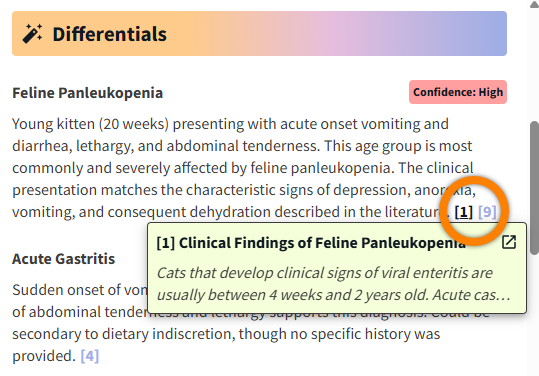
Differentials in Clinical Assistant Findings are possible diagnoses based on the encounter notes, organized by highest to lowest confidence. Each suggested differential has a clickable reference link to the related source.
Select the footnote to open a brief description of the differential from the source, then select the Open Link arrow 
Recommended Tests
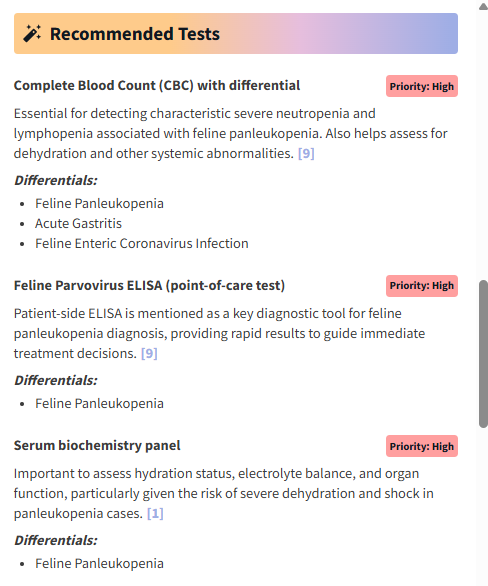
Clinical Assistant Findings recommends tests that are related to the suggested differentials, organized by highest to lowest priority. Each recommended test has a clickable reference link to the related source article.
Additional Notes About Clinical Assistant Findings
-
The Recommended Tests section does not link to any in-house or reference labs integrated with Vetspire.
-
Information cannot be transferred from the Clinical Assistant Findings window into the encounter, but you can copy and paste information from the window into the encounter or elsewhere in Patient Chart.
Chat with AI Clinical Assistant
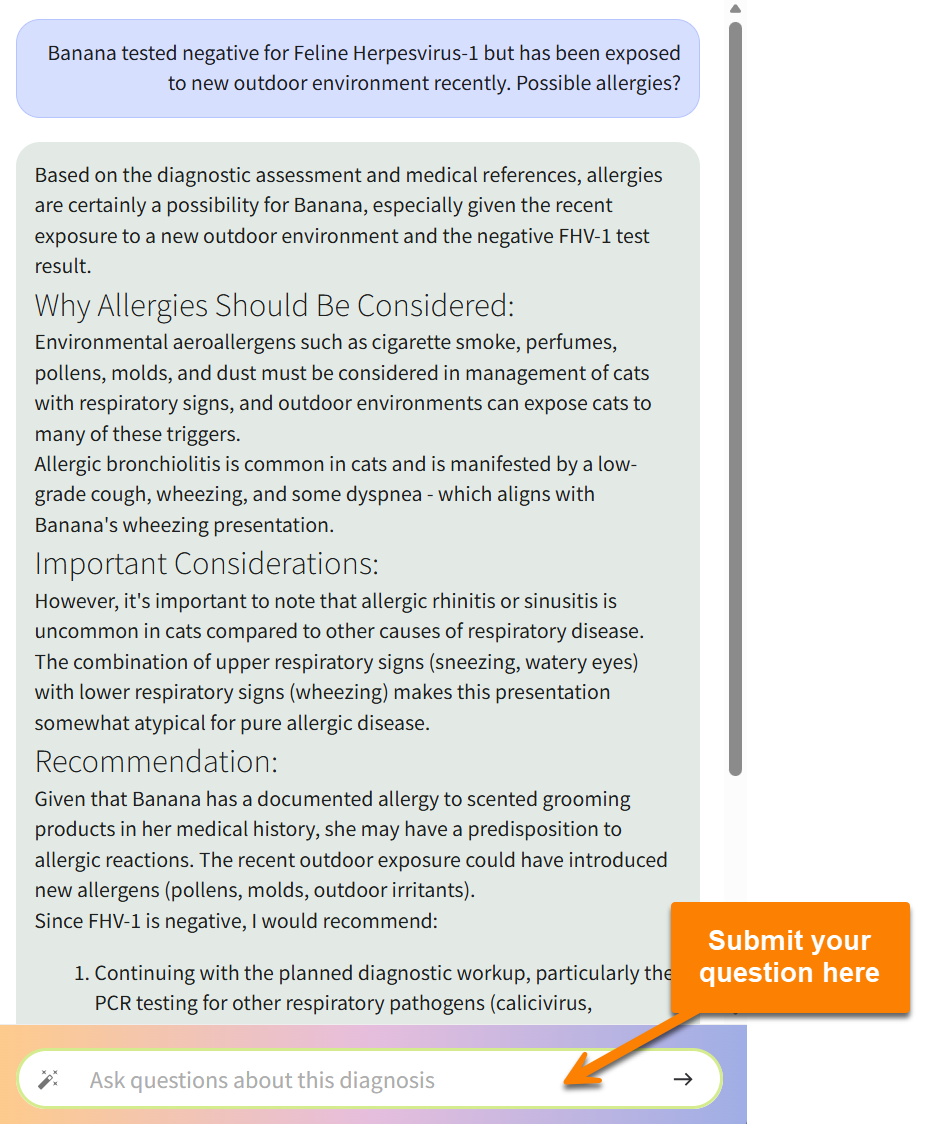
When you use Clinical Assistant Findings to view diagnostic and differential recommendations based on your SOAP notes, you can chat with Vetspire AI to ask questions and dive deeper into the AI’s recommendations. Vetspire AI uses your encounter notes, the patient’s medical history, presenting complaints, and trusted veterinary journals to answer your questions.
Vetspire AI stores your chat history for 7 days, so you can pick up right where you last chatted and revisit previous responses.
To access the Clinical Assistant chat:
-
Select the magic wand button to generate Vetspire AI’s synthesis of the encounter, then select View to open the Clinical Assistant Findings window.
-
Select the Clinical Assistant button at the bottom of the Clinical Assistant Findings window to display the chat window.
-
Enter your question in the chat. Vetspire AI will use information from the patient’s medical history, presenting complaint(s) in the encounter, and trusted veterinary journals to answer your questions and make recommendations on diagnosis differentials.
-
(Optional) To copy Vetspire AI chat responses to paste into the patient’s medical record, select the copy button