Experience the Future of Veterinary Practice with AI
We designed our AI features to ensure that your practice has the technology it needs to succeed today and well into the future.
Together, Vetspire’s AI Patient Summary and AI Scribe app help you streamline documentation and enhance clinical efficiency.
Contact sales@vetspire.com or your account representative to get started with Vetspire AI.
The AI Patient Summary window gives you access to key patient health details and care considerations at-a-glance, including recent encounter findings, medications, allergies, and pre-existing conditions. The AI that powers Patient Summary reads and synthesizes the patient’s chart and encounter history for you, so you can see essential information in a single click! This helps clinic staff more efficiently prepare for a patient’s upcoming visit without having to search through medical records for the details they need.
Vetspire Recommends
Google Chrome is the recommended web browser for Vetspire and Vetspire AI features.
Access AI Patient Summary
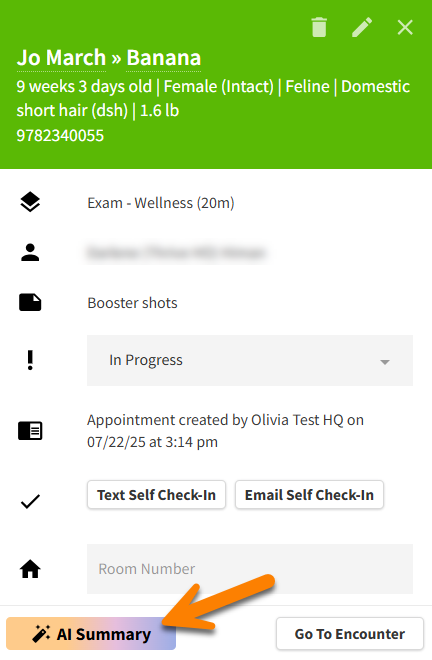
You can access the AI Patient Summary window from Patient Chart or the Schedule calendar.
In Patient Chart: Select the Summary button in the Patient Banner to open the AI Patient Summary window.

In Schedule Calendar: Select an appointment to open the Appointment Details, then select the Summary button to open the AI Patient Summary window.
How It Works
AI Patient Summaries are generated at night for the following day’s scheduled appointments, so the Summary is up to date before the patient’s visit.
You can re-run the AI Patient Summary at any time after adding new information to the patient’s chart.
AI Patient Summaries include up to three (3) years of patient data from Vetspire and, if applicable, your practice’s previous PIMS.
What is included in AI Patient Summary?
-
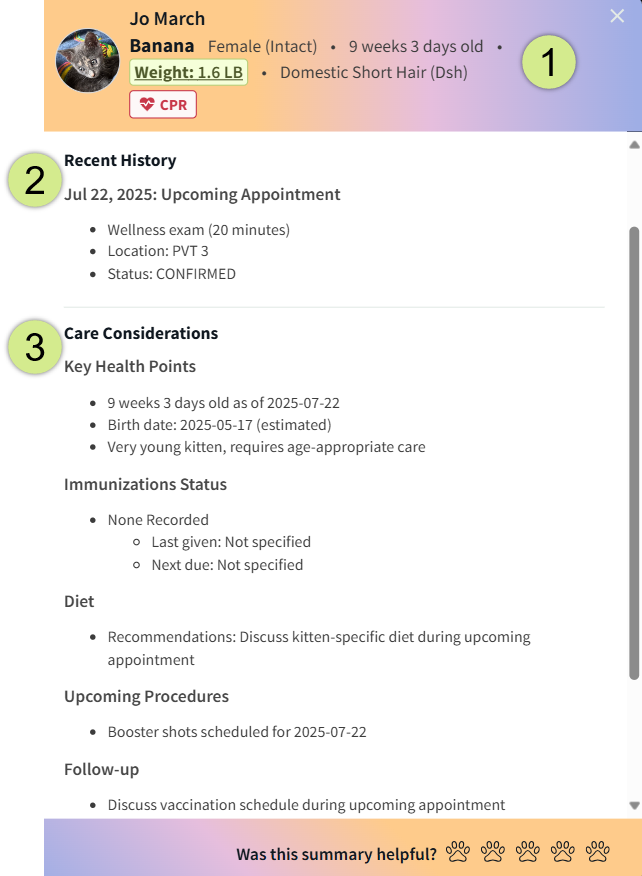
Patient Info Banner: Displays the client’s and patient’s names; the patient’s gender/alteration status, age, weight, breed, and CPR status; and any patient tags.
-
Recent History: Lists all encounters from the last year and any notable observations, procedures, or notes. If the patient has not had any encounters in the last year, this field displays their most recent exam from the last three years.
-
Care Considerations: Lists key health points and information from the patient’s medical record, encounter history, and PDFs uploaded to their chart.
We want your feedback!
At the bottom of the AI Patient Summary window, you can rate how helpful and accurate the summary is (5 paws = excellent!). When you submit a rating, a Provide Feedback window displays where you can enter comments for our team.

Patient Summary Assistant Chat
You can chat with Vetspire AI to quickly search for and locate key information in the patient’s summary. Vetspire AI Assistant chats are designed to:
-
Generate responses that are grounded in the patient’s medical record
-
Prevent the addition of unsupported information
-
Maintain a natural conversation flow when you ask follow-up questions
-
Provide clear error messages and reliable error handling to ensure a smooth user experience
Vetspire AI stores your chat history for 7 days, so you can pick up right where you last chatted and revisit previous responses.
Vetspire AI Assistant Chat features are available upon request for organizations using Vetspire AI. Please contact Vetspire Support or your account representative to get started.
To access the Patient Summary Assistant Chat:
-
In Patient Chart, select the AI Summary button in the Patient Banner. This opens the Patient Summary window on the right side of the screen.

-
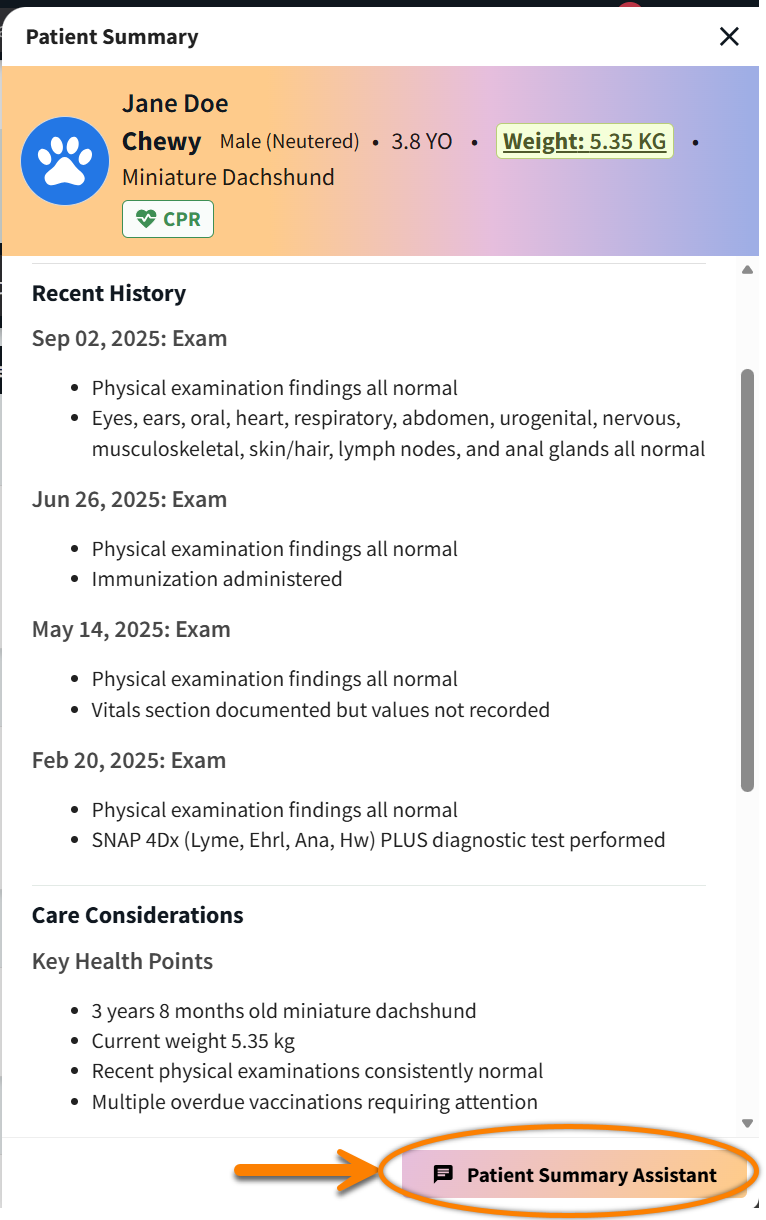
Select the Patient Summary Assistant button at the bottom of the Patient Summary window. The chat window then displays next to the Patient Summary.
-
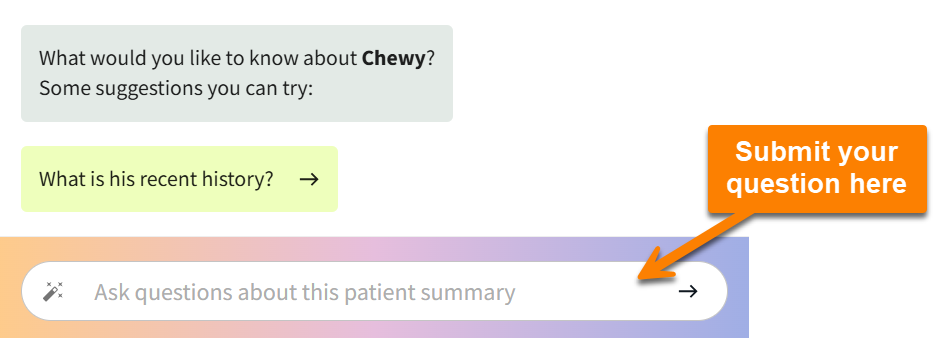
Type your question in the chat window, then select the arrow icon or the Enter key on your keyboard to submit your entry. Patient Summary Assistant will also prompt you with suggested questions to get started.
-
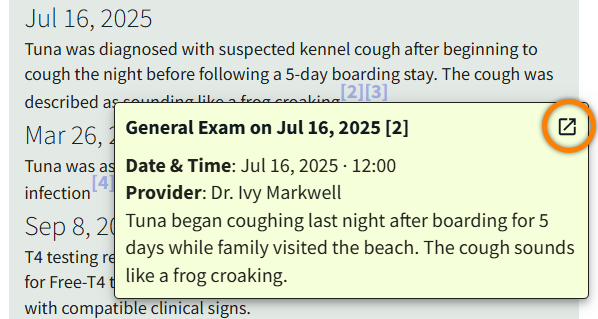
Patient Summary Assistant includes links to the encounters and uploads that it cites information from. Select the reference number and then select the source title or the Open Link arrow

-
(Optional) To copy Vetspire AI chat responses to paste into the patient’s medical record, select the copy button