
There are a few settings that org admins need to configure for your hospital to be able to use visits in Vetspire:
-
Org preferences for visits: Configure options for Visit Types and Visit Reasons.
-
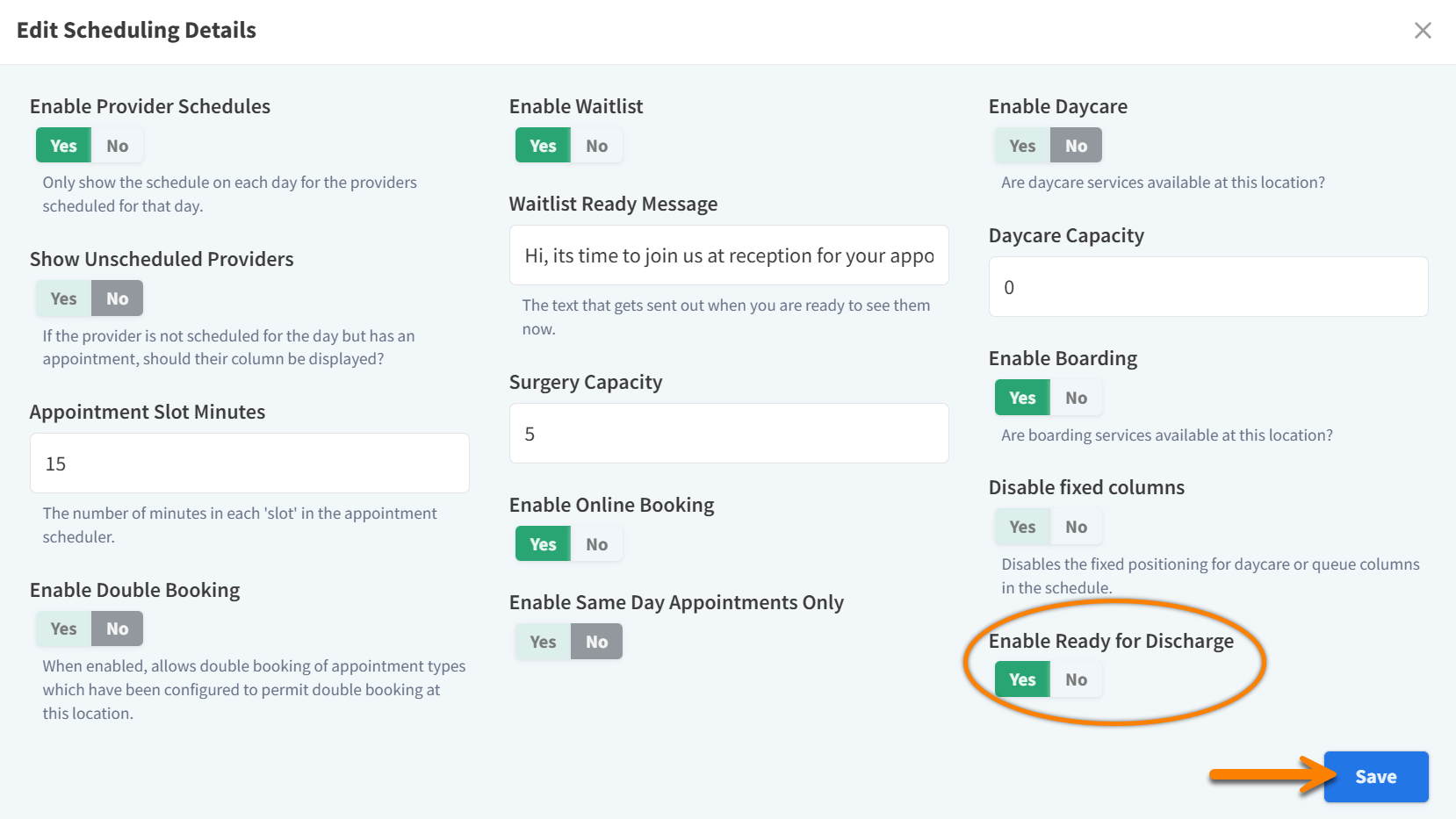
Enable the ‘Ready for Discharge’ column on Flow: This setting allows you to mark patients as ‘Ready for Discharge’ when they are cleared to leave the hospital.
-
Grant user role permissions for visits: There are specific permissions related to visits that can be granted for unique user roles.
-
(Optional) Org settings for Care Team roles: In an encounter, you can list up to five Vetspire users that are part of a patient’s care team. Each care team member is assigned a pre-defined role that is configured in your NOVA Settings.
Org Preferences for Visits
-
Go to More > Admin > Settings > Preferences.
-
Locate the Visit Type Organization section.
-
Toggle on the predefined Visit Type options that you want to be available for selection when scheduling appointments and creating NOVASheets.
-
Visit Types are designed for use with the Visits Report available in More > Analytics.
-
Locate the Enable Visit Reasons section.
-
Toggle on the ‘Enable Visit Reasons’ setting.
-
Create, edit, or delete custom options that are available for selection in the Reason for Visit field when scheduling an appointment.
-
The system saves your changes automatically.
Notes About Visit Reasons
-
When ‘Enable Visit Reasons’ is toggled off: The Reason for Visit field is a free-text entry field. This is how the field displays by default.
-
When ‘Enable Visit Reasons’ is toggled on: The Reason for Visit field displays a drop-down menu of your custom Visit Reason options.
-
Enabling Visit Reasons will override any information that is manually entered in the Reason for Visit fields of existing appointments. Disabling Visit Reasons restores the manually entered information in the free-text Reason for Visit field.
Enable the ‘Ready for Discharge’ Flow Column
-
Go to More > Admin > Locations and select the location you want to edit.
-
Scroll down to the Scheduling section and select Edit > Edit Basics. This opens the Edit Scheduling Details window.
-
Set the Enable Ready for Discharge setting to Yes, then select Save.
User Role Permissions Related to Visits
The abilities to end a visit and mark a patient as ‘Ready for Discharge’ are permission based. The following permissions can be enabled for appropriate user roles in More > Admin > Staff > User Roles:
-
Clinical > Visit > End Visit
-
Clinical > Visit > Mark Ready for Discharge