In addition to summarizing medical records, Vetspire AI can also be used in Patient Chart > Uploads to summarize digital and scanned documents. In an instant, you can review key details from diagnostic results, referral records, prescriptions, and even handwritten exam notes. Data from PDF summaries can then be used in AI Patient Summary.
Multi-Language Support
Vetspire AI Summary can generate English summaries of documents in other languages, including Spanish, French, German, Arabic, and more!
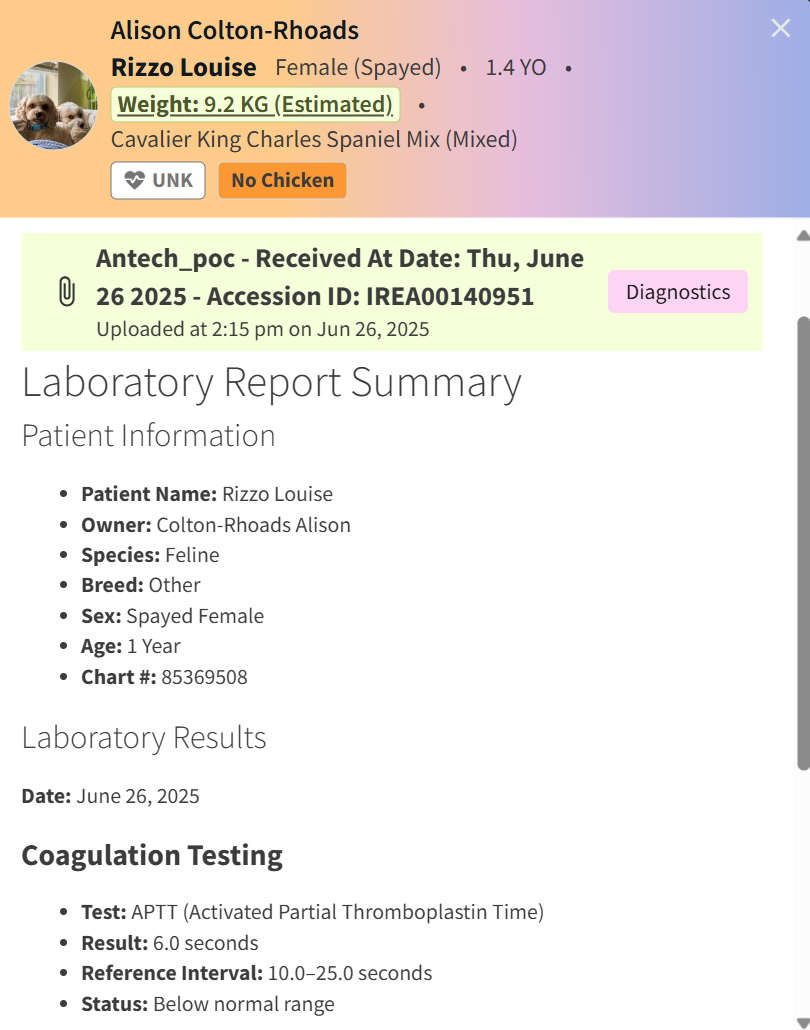
Select the AI Summary button next to the uploaded document to begin the AI review process. The PDF Summary window automatically displays when the document summary is complete.

AI Summaries match the original content of the PDF, including dates, personal details, measurements, and medication information.
Example:
Video: AI Summary for PDFs
PDF Assistant Chat
When using AI Summary for PDFs, you can chat with Vetspire AI to quickly search for and locate key information in the patient’s document history. Vetspire AI stores your chat history for 7 days.
Vetspire AI Assistant Chat features are available upon request for organizations using Vetspire AI. Please contact Vetspire Support or your account representative to get started.
To access the PDF Assistant Chat:
-
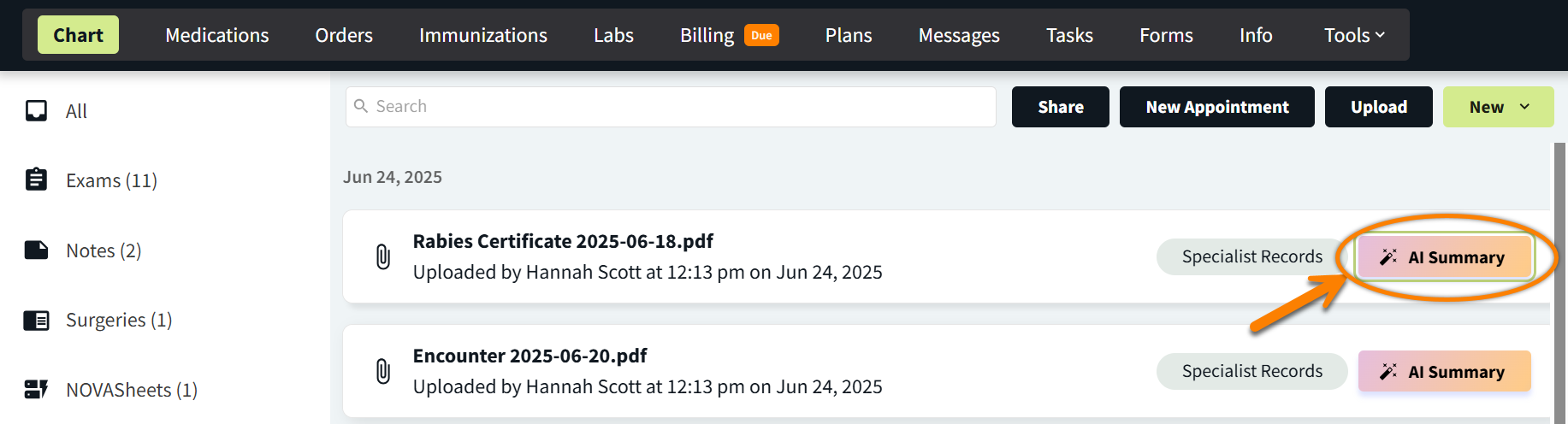
From Patient Chart > Uploads, select the AI Summary button for the document you want to review. This opens the PDF Summary window on the right side of the screen.
-
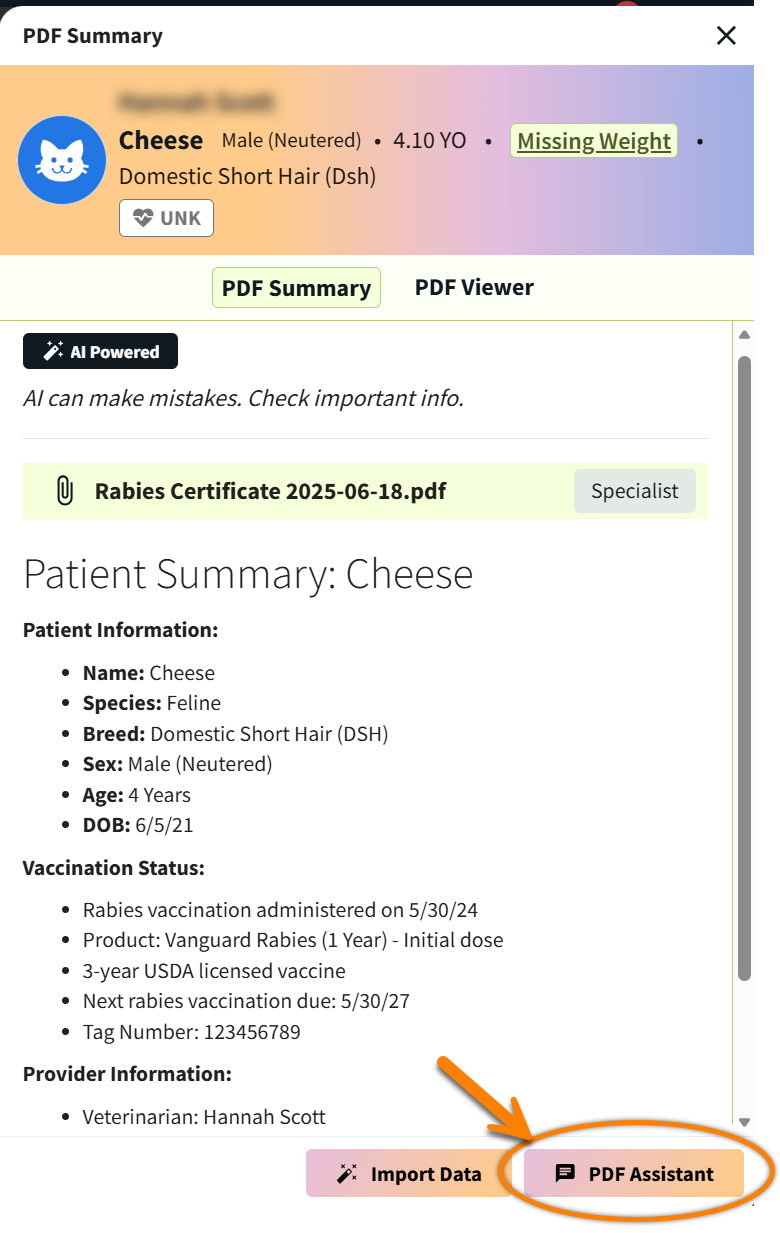
Select the PDF Assistant button at the bottom of the PDF Summary window. The chat window then displays next to the PDF Summary.
-
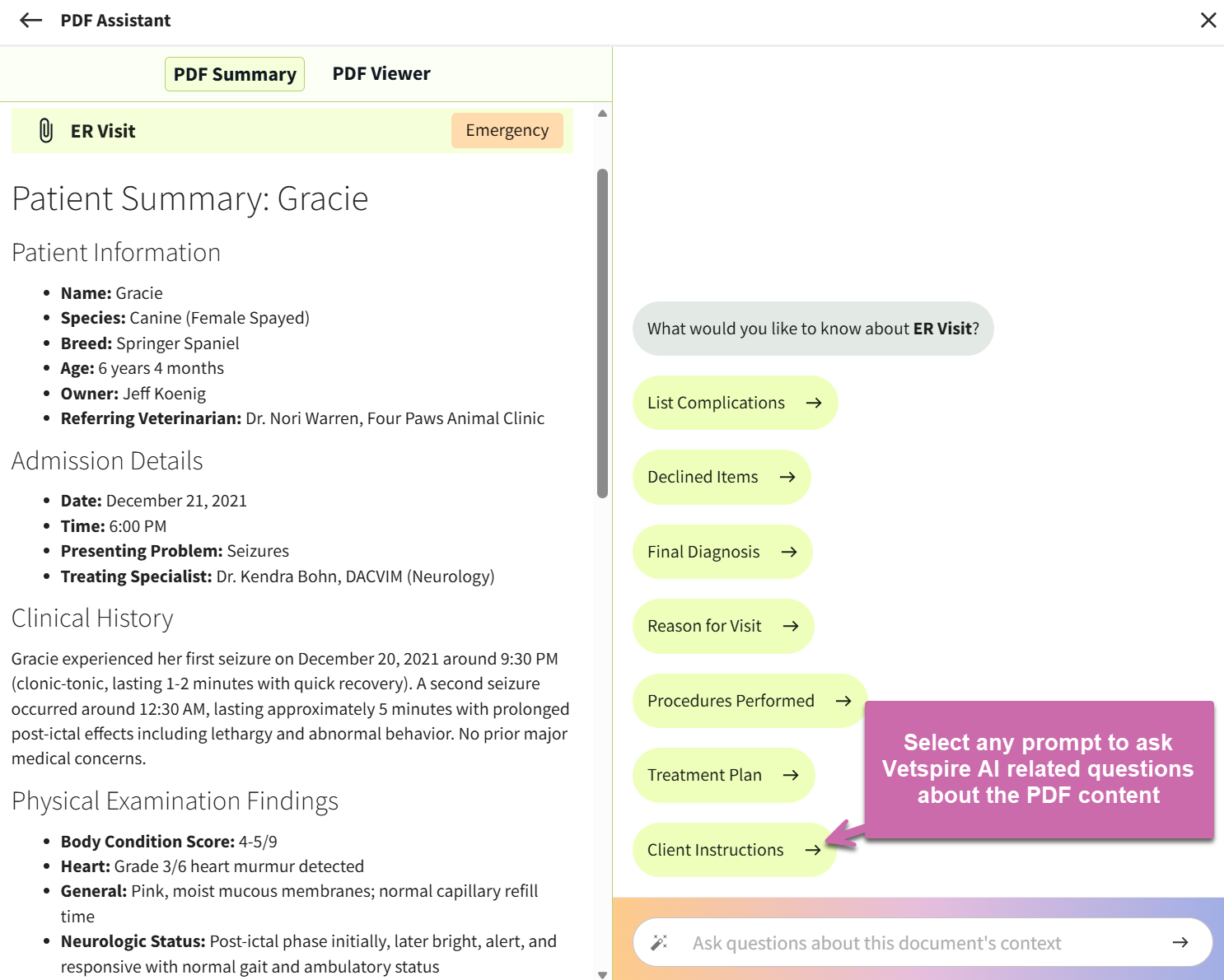
(Optional) Vetspire AI displays chat prompts based on how the PDF document is categorized in the patient’s chart. You can select a prompt to ask the PDF Assistant chat a related question.
-
Type your question in the chat window, then select the arrow icon or the Enter key on your keyboard to submit your entry.
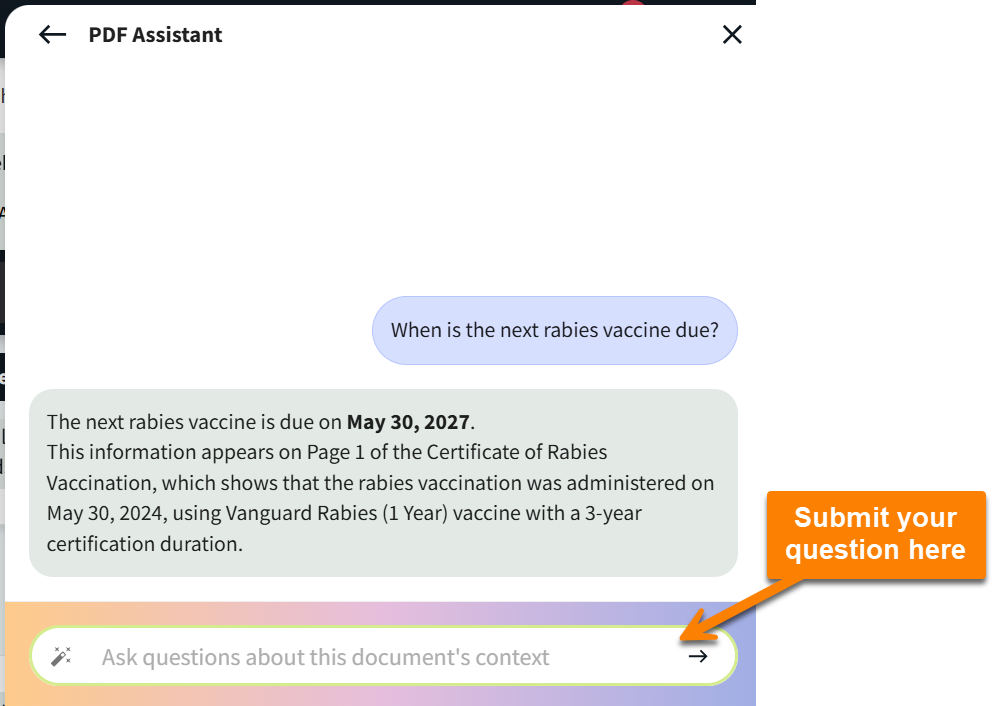
-
(Optional) To copy Vetspire AI chat responses to paste into the patient’s medical record, select the copy button