
Vetspire’s Dosage Calculator for NOVASheet treatments helps you quickly calculate the safe-range dosage of a medication or CRI based on a patient’s species and weight.
The Dosage Calculator displays in the Configure Treatment window for medication and CRI treatments linked to products for which Drug Calculator Configuration is enabled.
In More > Inventory & Services > Manage > Products, permissioned users can enable Drug Calculator Configuration for individual products and set dosage parameters by species.
-
The Dosage Calculator is disabled in the Configure Treatment window when the patient does not have a recorded weight.
-
The Dosage Calculator does NOT display for medication or CRI treatments if the drug strength and safe range have not been configured for the linked product.
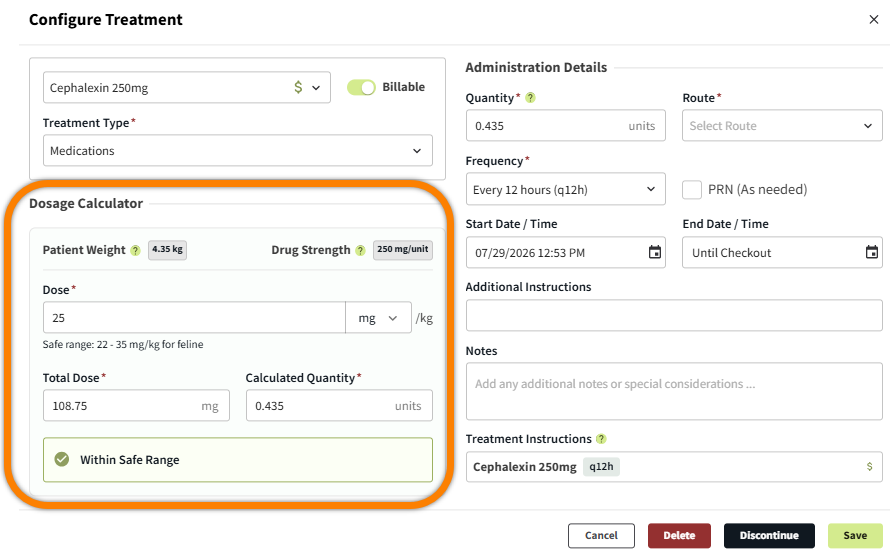
The Configure Treatment window displays when you select a treatment on a patient’s NOVASheet. In the Dosage Calculator section of the window:
-
The Patient Weight and Drug Strength (as configured in the product details) display.
-
The patient’s safe range, based on their species and weight, displays below the Dose field.
-
You can enter information in the Dose, Total Dose, and Calculated Quantity fields. When any of these fields are edited, the system automatically runs the calculation.
-
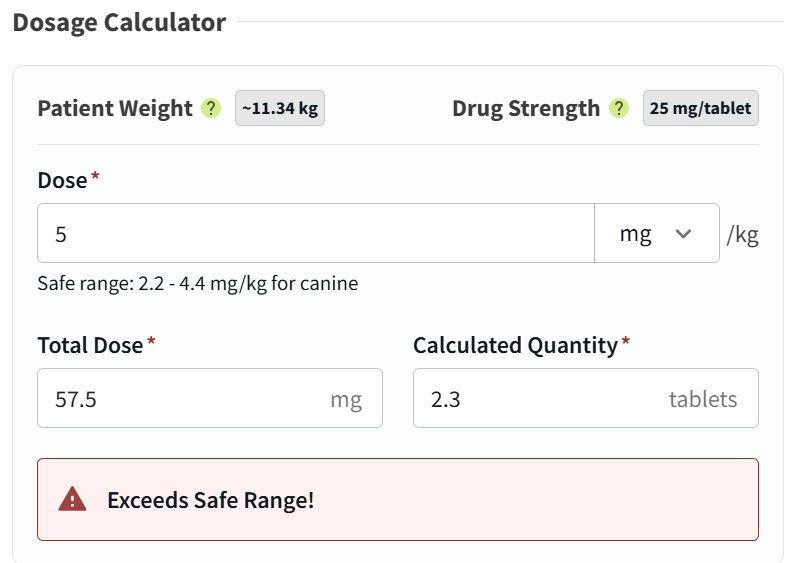
Once the calculation is complete, an alert displays to inform you that the dose is Within Safe Range, Below Safe Range, or Exceeds Safe Range.
Configure Dosage & NOVA Settings for a Product
-
Go to More > Inventory & Services > Manage > Products and select the medication or CRI product you want to edit. This opens the product details on the right side of the screen.
-
Scroll down to the Dosage Configuration & NOVA Settings section and select Edit Details. This opens the Dosage Configuration & NOVA Settings window.
-
(Optional) Enter Treatment Default Notes to automatically populate the Notes field of the treatment when added to the NOVASheet.
-
Toggle on the Dosage Calculator Configuration option.
-
Enter the Drug Strength per product unit, adjusting the measurement unit as needed.
-
In the Dosage by Species section, select + Add species, then select the Species you want to create a safe range for.
-
Set the Treatment Type as Medication and/or CRI.
-
Enter the Min Dose and Max Dose of the drug for this species.
-
Select + Add species again and repeat steps 7 and 8 for as many species as you’d like.
-
Select Save.
.png?cb=2922ab488191a2df931be9c3874f7b43)
Configure a Medication or CRI Treatment in NOVASheet
-
Navigate to a patient’s NOVASheet from their chart or the NOVABoard.
-
Select a Medication or CRI treatment to open the Configure Treatment window.
-
In the Dosage Calculator section, enter the dose that you want to administer, then select the Tab button on your keyboard.
Notes About CRI Treatments
-
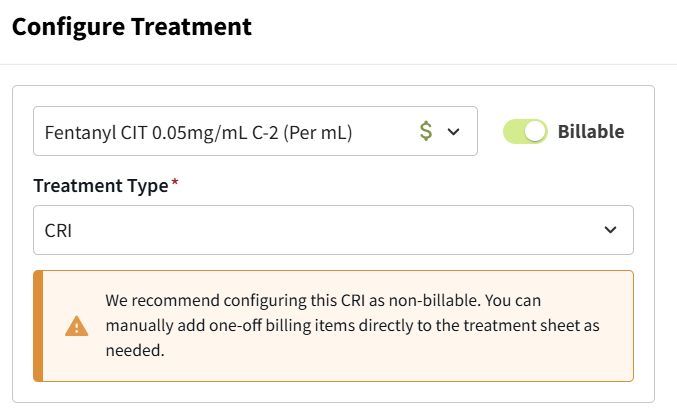
For CRI treatments, an alert displays in the Configure Treatment window to recommend configuring the treatment as non-billable to help ensure accurate billing. You can mark an individual CRI treatment cell as billable.
-
In the Quantity field of the Add to Invoice window, enter the total amount of medication dispensed for the CRI (for example, a total quantity of 2 mL for a medication with a rate of 0.2 mL/hr).