
There may be a scenario where a charge is disputed and the payment is voided by the credit card company, but the charge is later determined to be valid. In this scenario, you cannot recharge the client through the original invoice. Additionally, the original payment can no longer be voided in Vetspire after 24 hours have passed.
To recharge for the disputed balance:
-
Open the original invoice.
-
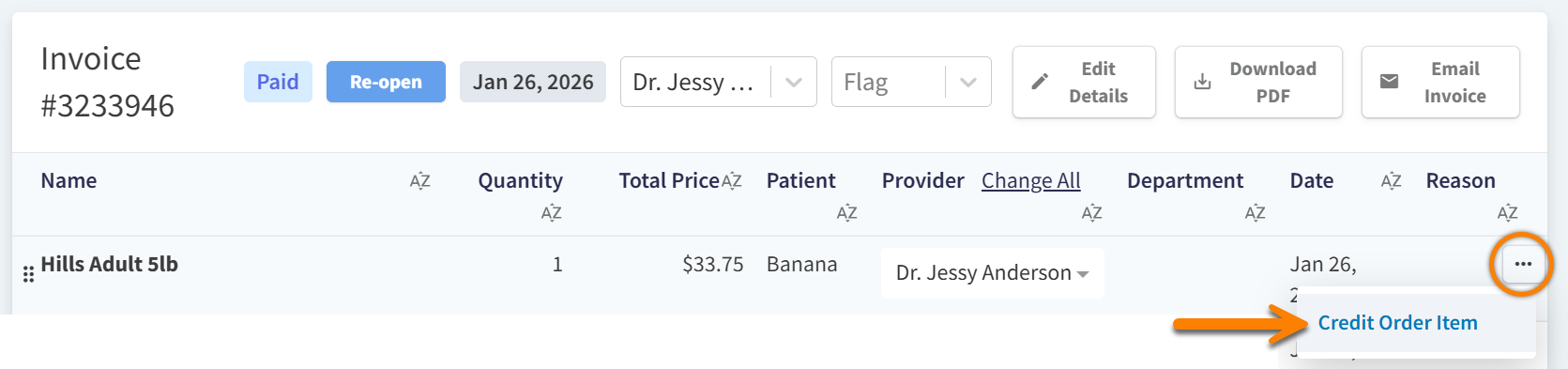
Select Credit Order Item on every line item to reverse all charges. This opens the Credit Order Item window.
-
Set Return to stock? to Yes or No:
-
Select Yes when the refunded item is being returned to your physical inventory, such as unopened non-prescription dental chews.
-
Select No for products and services that are not returned to inventory, such as nail trim services.
-
-
Select Mark as Credited.
-
Go to Patient Chart > Billing and select the Refund button next to Credit on Account. This opens the Refund Credit window.

-
Select the payment for the original invoice, then enter the total amount being credited in the Amount to Refund field.
-
Select Record Refund!
Once marked as refunded, the credit on the client’s account will clear. This action only updates the client’s billing history in Vetspire – the client’s credit card company will complete the voiding and refunding processes.
You can then process payment using a new invoice. See About Invoices for steps to create an invoice that is not associated with an encounter.