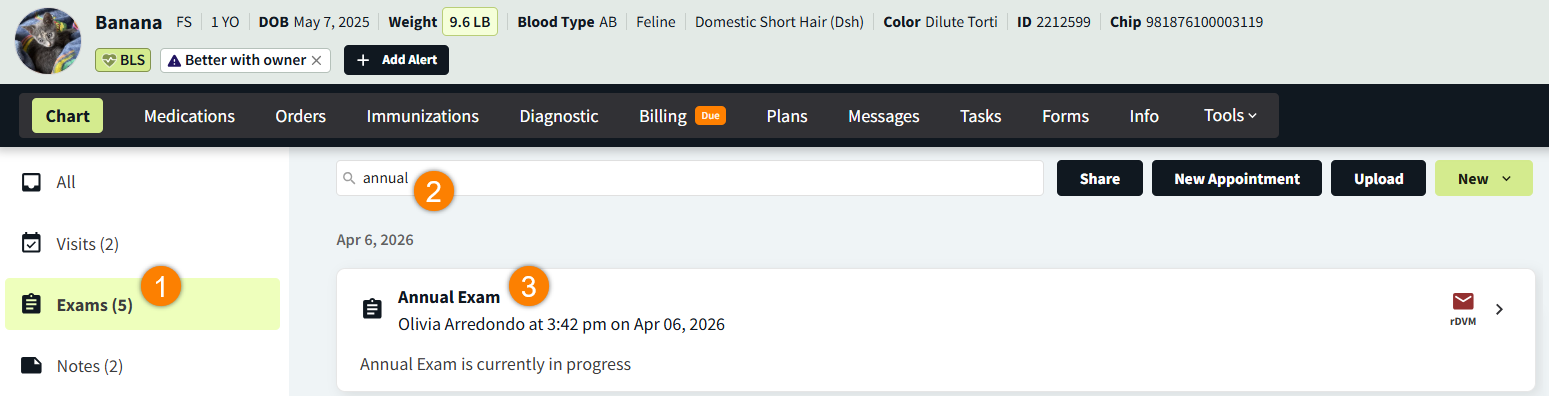
You can use the search bar at the top of the Patient Chart timeline to search all of a patient’s previous visits, including exams that are currently in progress.
-
In Patient Chart, select the Exams filter on the left side panel.
-
In the search bar, enter keywords to filter the list of visits. (Examples: “wellness,” “recheck,” “annual”)
-
Select a result to navigate to the linked encounter.