
To submit a ticket to the Vetspire Support team:
-
Select the support icon

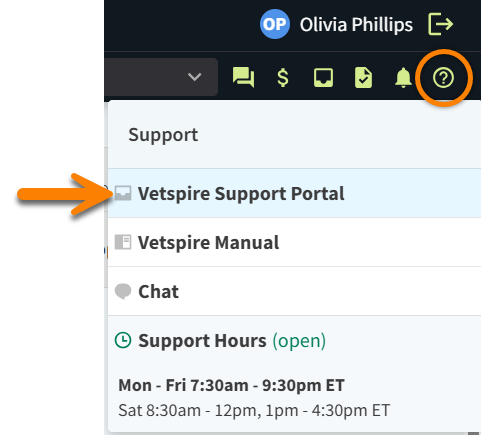
-
Include the following details in your ticket:
-
Practice Name and Location
-
Issue Description: Include any error messages
-
Steps to Reproduce Issue: When applicable, list what actions led to the issue.
-
Screenshots or Attachments: When possible, include images or files that illustrate the issue.
-
-
Submit your ticket. You will receive a confirmation email that your ticket has been received.
Video: Contact Vetspire Support