
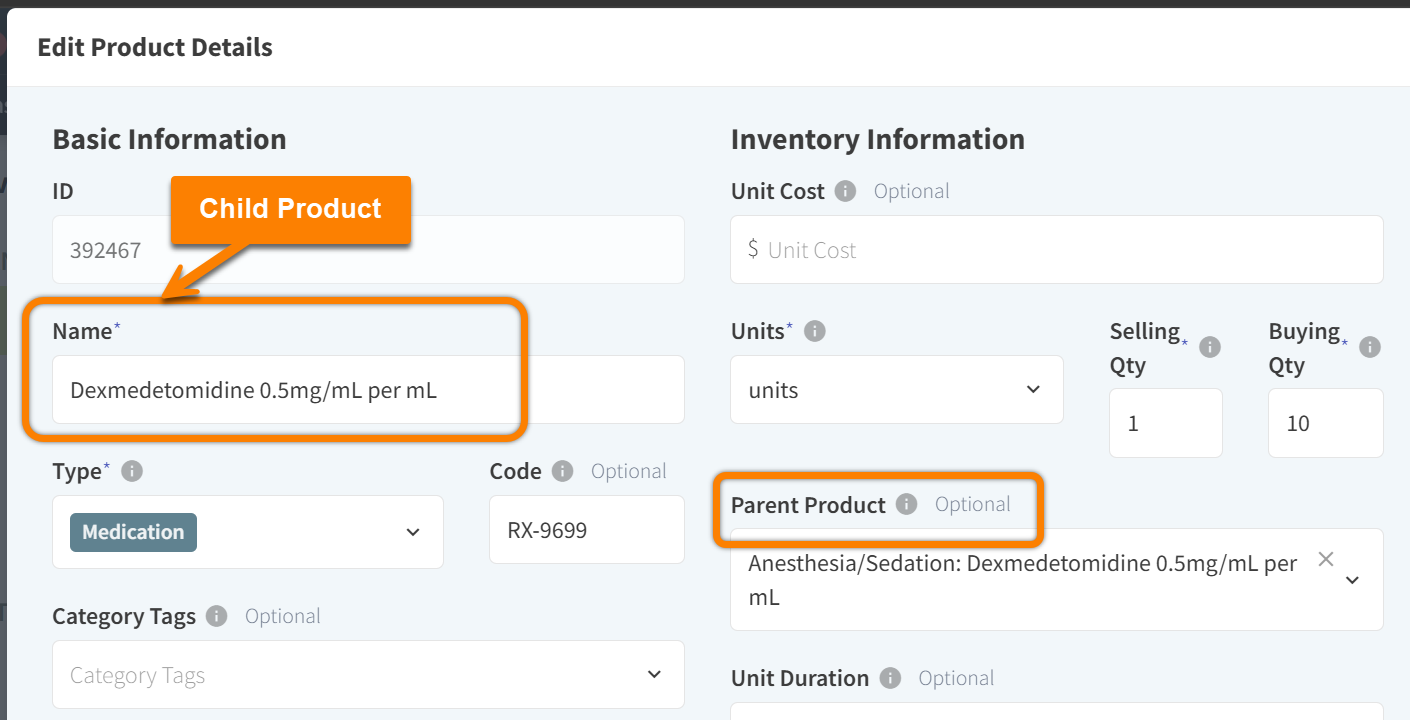
When adding or editing a product in More > Inventory & Services > Manage > Products, you can designate a product record as a “parent product” and link other records to the parent as its “child products.”
This workflow is designed to deduct stock from only the parent product when the child product is ordered.
Only the Parent Product is Set to Track Inventory
When using parent and child products, only the parent product should have the setting Track Inventory set to Yes.

Both the parent and child products should NOT be set to Track Inventory. When the child product is set to Track Inventory, this can result in inventory discrepancies and duplicate counts.
Recommended Configuration
|
Parent Product: Track Inventory = YES |
Child Product: Track Inventory = NO |
|---|---|
|
The parent product represents the inventory-tracked item, typically in the smallest unit possible (such as a tablet, capsule, mL, etc.). The parent product record holds all stock counts, lot numbers, and inventory adjustments. |
The child product represents sellable, packaged units (such as bottles, boxes, 6-pack, etc.). Inventory to sell the child product is deducted from the parent product. No stock counts are added directly to the child product record. |
Selling Quantities for Parent & Child Products
For the most accurate inventory tracking, we recommend that parent products are counted in their simplest form, such as per tablet or per mL.
For example:
-
A parent product record is created for Simparica chewable tablets. Track Inventory is enabled for the parent product, and the Selling Quantity is set to 1 (one) tablet.
-
Simparica chewable tablets are sold in packs of 6 tablets. A child product record is created for a Simparica 6-Pack. Track Inventory is disabled for the child product, and the Selling Quantity is set to 6 (six) tablets.
-
When a Simparica 6-Pack is ordered in Vetspire, 6 tablets are deducted from the parent product inventory.