
The most common cause of an email delivery failure is an invalid email address. When the system attempts to email a client (e.g., sharing medical records, appointment reminders, etc.), the email delivery service will reject the delivery when:
-
The client’s email address is misspelled (e.g., “gmial.com”)
-
Extra spaces or characters are present in the client’s email address
-
The client’s email address is missing the at symbol (@) or a domain
Verify that the client’s email address is formatted correctly in their profile.
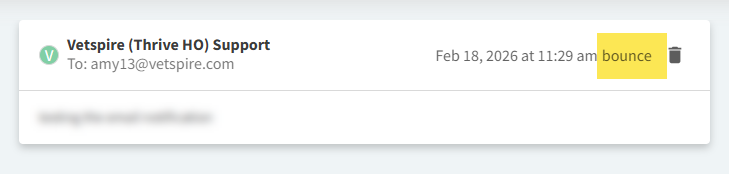
Emails that cannot be delivered display a ‘bounce’ label in Inbox and Patient Chart > Messages:
Reasons for Email Delivery Failure
The following table describes additional causes of an email delivery failure. Please contact Vetspire Support for further troubleshooting assistance.
|
Reason |
Description |
|---|---|
|
The client has unsubscribed from your email communications |
If the client has unsubscribed at any point, Vetspire is not allowed to send further emails to them automatically. The client can manually re-subscribe to Vetspire emails. |
|
The client is inactive and/or the patient is inactive or deceased |
Some system communications do not trigger for inactive clients or patients. |
|
Previous messages to the client’s email address have bounced |
If a client email previously bounced, the system may prevent the delivery of additional messages. A bounce occurs when:
|
|
Spam filtering is enabled in the client’s mail server settings |
Even when Vetspire successfully sends an email, the receiving mail server may mark the message as spam, block the message due to filtering rules, or place the message in a quarantine folder. The email will display as ‘delivered’ in Vetspire, but the client will not see it on their end. You may advise the client to check their spam/junk folder in their email account and mark Vetspire emails as ‘Not Spam.’ |
|
Email size is too large |
If the email includes very large attachments, the receiving server may reject it. |
|
Client’s email address uses a corporate or school domain |
Professional and academic email systems (e.g., domains ending in ‘.edu’) often have strict security rules that can block automated emails. |
|
Message type disabled in Vetspire |
If your hospital has certain reminder types or automated messages turned off, the email will not send even if the client/patient meets the criteria for receiving the message. |
|
Reminder message is missing required fields |
Automated messages in Vetspire must include a subject and body text. Additionally, logic conflicts in the reminder configuration may prevent the automated message from generating. |