
By default, the Private Note encounter template is available in Vetspire for newly created organizations. This encounter template is designed for staff to be able to document sensitive information that should not be shared with customers or anyone who could receive a patient’s medical record.
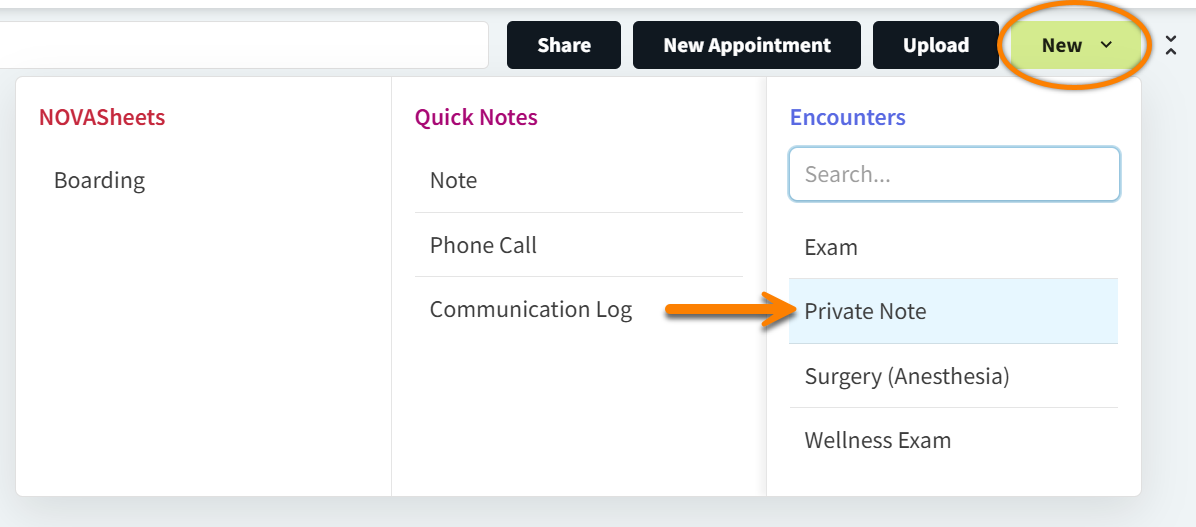
To create a Private Note encounter, select New in Patient Chart, then select Private Note. This encounter will NOT display on any medical record PDFs.
Can I make sections of an encounter template private?
Yes! When editing a section of an encounter template, you can set the Is Private? option to Yes. When set to Yes, and you open an encounter using the edited template, the section marked as Private does not display on shared medical records or encounter PDFs.