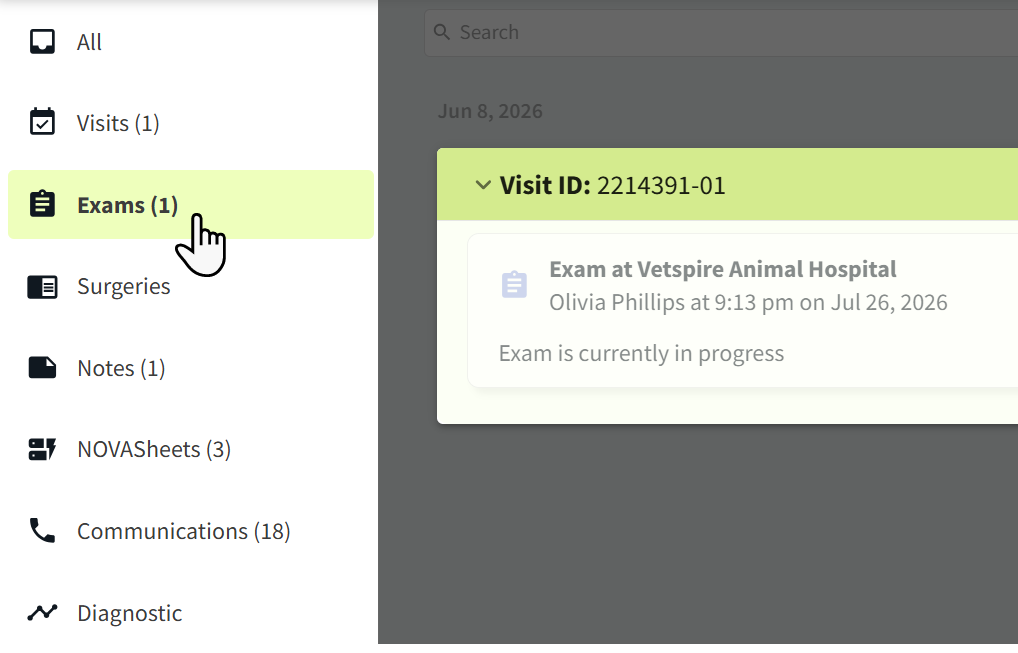
In Patient Chart, there are two methods for sharing a patient’s medical record: using the ‘Full Medical Records’ tool or using the ‘Share’ button.
Send the Full Medical Record
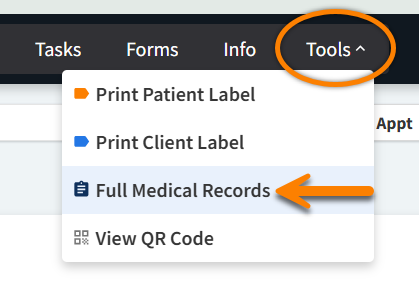
Select Tools > Full Medical Records to email the patient’s complete medical record to specified recipients. This method is ideal when you want to share the entire chart without selecting individual entries for each component of the chart.
The client’s email address automatically populates the Email field. You can select which components to include (medications, lab results, notes, etc.), and the system will generate a comprehensive document based on your selections. Please see Tools in Patient Chart for more information.
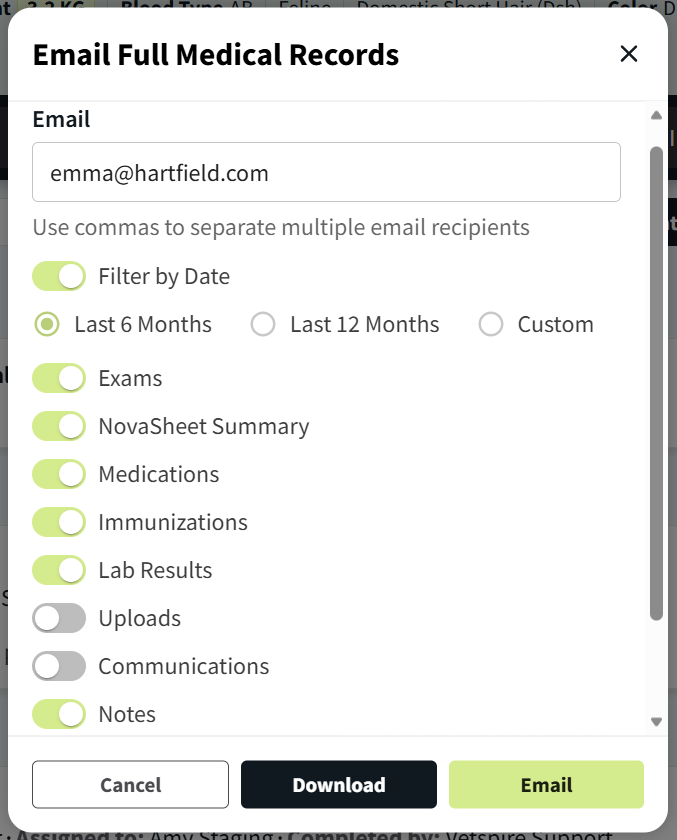
To send the full medical record to multiple recipients at once, enter email addresses separated commas in the Email field.
(Example: olivia@vetspire.com,emma@vetspire.com,johnsmith@rdvm.com)
‘Share’ Button in Patient Chart
The Share button in Patient Chart allows you to select specific entries in the patient’s medical record to share via email or download. This method is ideal when you want to only share certain parts of the medical record.
In the Chart tab of Patient Chart, select the Share button. Scroll through the Chart timeline and select individual entries that you want to include in the export.

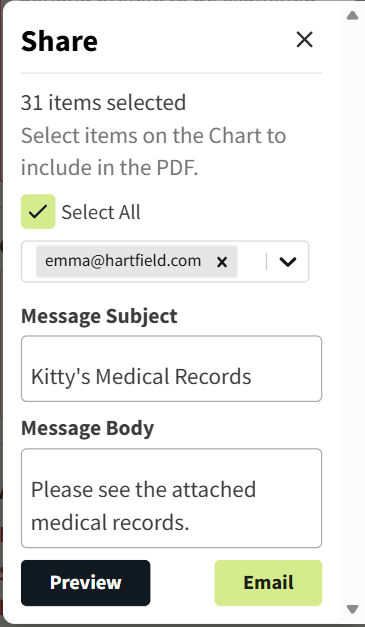
The Share window opens to the right side of the Chart timeline. Here, you can specify the email addresses you want to send the export to and compose your subject and body text. Email addresses for the client, patient associates, and rDVM automatically populate in the Email field.
To include all entries in Patient Chart, select the Select All checkbox. To download a copy of the export, select Preview.
If you just want to share a certain type of record (such as Exams, Notes, or Communications), use the categories in the left panel of Patient Chart to filter the timeline to display only records in the selected category.