
-
Go to More > Admin > Users and select the provider’s profile that you want to edit.
-
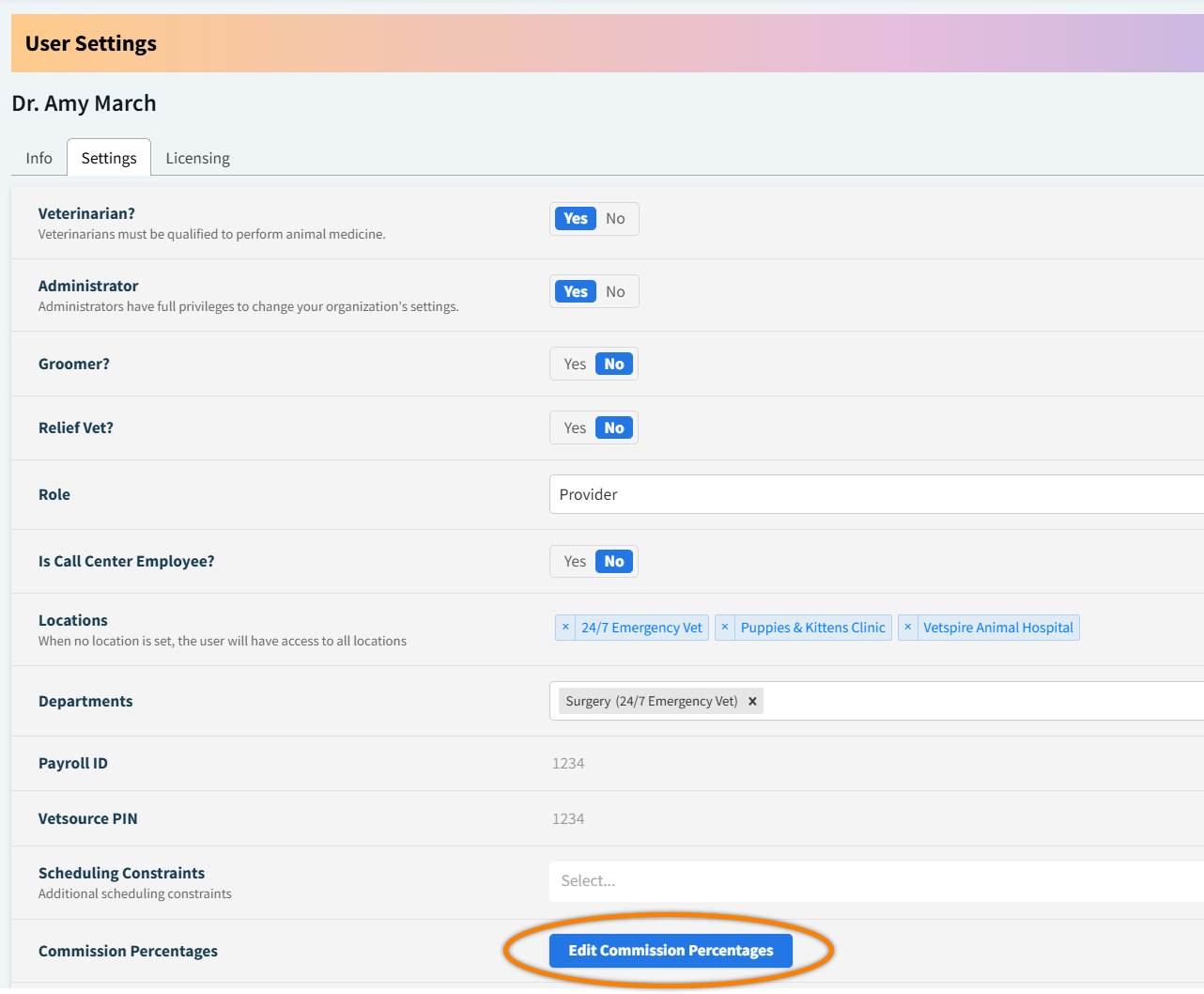
In the Settings tab, select Edit Commission Percentages. This opens the Edit Commissions window.
-
Set the appropriate Commission percentage for the provider based on the product type and your organization’s compensation structure.
-
Select Save.
Vetspire Recommends
You can use the Sales Commissions report to verify provider commission calculations (accessed via Financials > Reporting > Sales > select ‘Sales Commissions’ from the report drop-down menu). Include Provider in the report Breakdowns to view commissions by provider.